
Recovering from encrypting ransomware

Ransomware is a type of malicious software (malware) that either threatens to publish your information or encrypts your data and blocks access until a ransom is paid. Most ransomware infections begin after someone clicks a malicious link, opens an infected attachment, or installs compromised software.
Encrypting ransomware is the most common and most damaging form of ransomware. With this type of attack, you can usually still browse folders and see your files, but you cannot open them. File names may have changed, and you will often find a ransom note containing payment instructions.
If the criminals are threatening to publish your information rather than simply encrypting it, you may also find the Outing playbook helpful.
We want to better understand the impact of you experiencing this issue, can you share your experience by filling in this online form? This will help us better protect future victims.
Encrypting ransomware - do this first!
Before attempting to remove the ransomware or recover your files:
Disconnect the infected device from the internet immediately, including both Wi-Fi and wired connections.
Disconnect the device from external storage devices, including USB drives and external hard drives, to reduce the risk of the infection spreading.
Use a phone or camera to take clear photographs of the ransom note and any messages displayed, where it is safe to do so. Keep these as evidence if you decide to report the incident.
Keep copies of relevant emails, messages, payment demands, cryptocurrency wallet addresses, usernames, URLs, phone numbers and other communications connected to the incident.
Before You Change or Wipe the Device
If you intend to report the incident, or an investigation by law enforcement may be appropriate, preserve the compromised device before carrying out recovery or remediation.
Where possible:
Keep the compromised device disconnected from the internet.
Avoid running programs, opening files or carrying out unnecessary actions on the compromised device.
Do not wipe, factory-reset or reinstall the operating system before obtaining appropriate reporting or investigation guidance.
Do not run malware-removal, file-recovery or other remediation software if doing so could alter the evidence.
Seek reporting guidance before making changes to the device.
This is particularly important where the incident involves extortion, threats, significant financial loss, unauthorised access, exposure of personal information or other circumstances where law-enforcement investigation may be appropriate.
Important: Recovery and remediation can alter or destroy evidence. Consider the reporting and evidence-preservation decision before proceeding with technical recovery.

Am I going to get my data back?
Maybe.
There are several ways to try recovering encrypted files, but unfortunately there is no guarantee that recovery will be successful.
Even if your files cannot be recovered immediately, it may become possible in the future. Law enforcement agencies and cybersecurity researchers sometimes obtain decryption keys for ransomware families and make them publicly available. This process can take weeks, months, or longer.
Should I pay the ransom?
In general, we do not recommend paying the ransom.
Paying funds criminal activity and encourages further ransomware attacks. There is also no guarantee that the attackers will provide a working decryption key after payment. In some cases, victims who pay become targets for future attacks.
Ultimately, paying a ransom is a personal decision. It may depend on your financial circumstances and the importance of the encrypted data. Consider your options carefully before deciding how to proceed.
The Cyber Helpline can provide general information about the risks and available options rather than advising you to pay or negotiate with cybercriminals.
Approaches to recovering your files
There are several possible ways to recover encrypted files depending on the ransomware involved.
Before using any recovery or remediation method, consider whether the incident should be reported or investigated and follow the evidence-preservation guidance above.
If preserving evidence is important, seek appropriate reporting or technical guidance before changing the compromised device.
If you have decided not to pursue an investigation and are ready to proceed with recovery, technical remediation should be carried out by you or a trusted IT professional.
The Cyber Helpline provides advice, guidance and signposting. Cyber Helpline does not perform technical remediation, troubleshoot malware removal, access devices, recover encrypted files or carry out system restoration on your behalf.
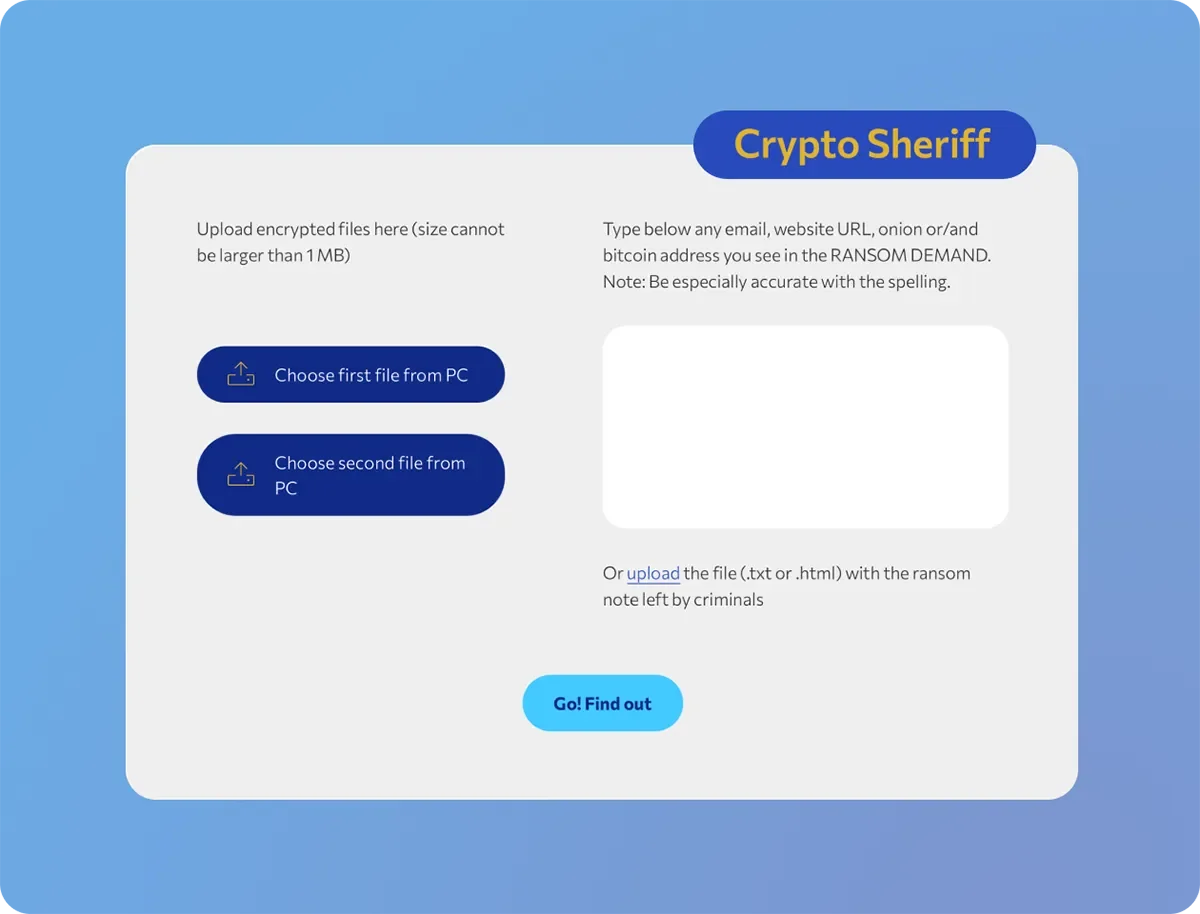
Identify the ransomware type and check for a free decryption tool – Visit No More Ransom and use their Crypto Sheriff tool tool.
The tool can use information from encrypted files and the ransom note to help identify the ransomware family. If a free decryption tool exists, the service may provide instructions on how to use it.
Privacy caution: Before uploading any file, consider whether it contains sensitive, personal or confidential information. Where possible, use an appropriate non-sensitive encrypted file and review the service's current information and data-provision terms before submitting anything. If you are unsure how to use the tool safely, seek help from a trusted IT professional rather than attempting the technical process without appropriate assistance.
Attempt to recover deleted files – Many ransomware variants create encrypted copies of files and then delete the original versions. It may be possible to recover deleted files using reputable file-recovery software. Success depends on how much the device has been used since the infection.
File-recovery software can alter the device and may affect potential forensic evidence. If an investigation may be appropriate, do not proceed until appropriate reporting or technical guidance has been obtained.
The Cyber Helpline does not install, operate or troubleshoot file-recovery software on your behalf.
Restore your files from a back-up – If you have a recent backup, check it carefully before restoring your files. Ensure the backup itself has not been encrypted by opening several files on a different, clean device where appropriate. For the safest recovery, a trusted IT professional may recommend:
Completely erasing the infected device.
Reinstalling the operating system.
Installing security updates.
Restoring files from a clean backup.
Do not erase, factory-reset or reinstall the compromised device if it may need to be preserved for an investigation. Before wiping the device, make sure you have installation media, licence keys and login details for any software you will need to reinstall. For technical recovery and system restoration, seek assistance from a trusted IT professional.
Contacting the attackers – Do not contact, negotiate with or make payments to ransomware attackers. Contacting attackers can create additional security, financial and privacy risks, and there is no guarantee that communication will result in the recovery of files. If you are considering contacting the attackers because you believe your data is essential, consider the risks and seek appropriate professional assistance. The Cyber Helpline cannot negotiate with the attackers or contact them on your behalf.
Start again with a clean device –If you decide not to recover the encrypted files, or the files are not important, you can perform a factory reset, where available, or completely erase the device and reinstall the operating system before setting it up again.
Do not wipe or reset the device if it may need to be preserved for an investigation.
If technical assistance is required, seek help from a trusted IT professional.
Report the Crime
If you are in South Africa, you can report cybercrime to the South African Police Service (SAPS).
If the incident involves financial loss, extortion, threats or unauthorised access, keep copies of:
The ransom note.
Payment demands.
Cryptocurrency wallet addresses.
Emails.
Phone numbers.
Screenshots.
Usernames and URLs.
Any communication with the attackers.
Any relevant transaction or account information.
You may also report the cyber incident to the South African Cybersecurity Hub (CSHub).
The Cybersecurity Hub is South Africa's National Computer Security Incident Response Team (CSIRT). It receives, triages and coordinates cybersecurity incident reports and can route incidents to the appropriate authority where relevant.
How to report to the Cybersecurity Hub
Victims can report an incident through the Cybersecurity Hub's Report an Incident service:https://www.cybersecurityhub.gov.za/report-an-incident
Incidents can also be reported by email to:
cshubcsirt@cybersecurityhub.gov.za
The Cybersecurity Hub's published incident-management process states that after an incident is submitted, you receive a reference number by email. Keep this reference number for future correspondence.
The Cybersecurity Hub then routes the incident to the appropriate authority where applicable.
If you receive a reference number, keep it safely and use it in any future correspondence about the incident.
If you have not received feedback after 5 working days, the Cybersecurity Hub advises contacting them by email and quoting the incident reference number.
Important: Reporting to the Cybersecurity Hub does not replace reporting a suspected crime to SAPS where appropriate. The Cybersecurity Hub may route cybercrime-related incidents to SAPS or another appropriate authority.
Before wiping, resetting, reinstalling or otherwise altering a compromised device, consider whether the incident should be investigated and seek appropriate reporting guidance.
If the incident is being reported or may require investigation, preserve the compromised device and avoid unnecessary interaction with it until appropriate guidance has been obtained.
Personal Information and POPIA
If the ransomware may have exposed or allowed unauthorised access to other people's personal information, and you are responsible for that information, your organisation may have obligations under the Protection of Personal Information Act (POPIA).
Responsible parties may need to assess whether a security compromise requires notification to the Information Regulator and affected individuals.
The Cyber Helpline does not determine whether a POPIA notification is legally required. Where this situation applies, your organisation should follow its internal legal, privacy or information-security process for appropriate assessment.
How Do I Avoid Being Infected Again?
Keep regular backups - Maintain regular backups of your important files.
Where possible:
Keep one backup disconnected from your computer after use.
Use a reputable cloud backup service with automatic versioning.
Having secure backups is one of the most effective ways to recover from ransomware.
Use reputable anti-virus software – Install reputable antivirus software and keep it updated. While no antivirus solution detects every threat, it can prevent many ransomware infections and help remove malware.
Install updates promptly – Install operating system, browser and application updates as soon as they become available. Where possible, enable automatic updates so security patches are installed without delay.
Be cautious with emails and messages - Be extremely cautious before clicking links or opening attachments received by email, SMS, messaging apps or social media. Even legitimate accounts can be compromised and used to distribute ransomware. If you are unsure whether a message is genuine, verify it through another trusted communication channel before interacting with it.
Donate
Your generosity makes our free support possible. Please consider giving today.
Without donations, we cannot keep our service free or provide help to the most vulnerable victims of cybercrime when they need it most. As a not-for-profit organisation, every donation goes directly towards keeping The Cyber Helpline up and running. Donate now and help us support victims of cybercrime.