
Dealing with unauthorized account access (fraping)
Social media account impersonation occurs when someone gains unauthorised access to your social media account and pretends to be you by posting content, sending messages or interacting with others in your name. This can damage your reputation, affect your relationships and, in some cases, be used to commit fraud or harassment.
Remember that content shared online may continue to exist even after it has been deleted, as other people may have copied or shared it.
We want to better understand the impact of you experiencing this issue, can you share your experience by filling in this online form? This will help us better protect future victims.
Fraping - do this first!
Change your password - IIf you can still access your account, change your password immediately. Choose a strong, unique password that you have never used before.
If you cannot access your account because the password has been changed, use the platform's "Forgot password" or account recovery process.
Once you regain access:
Log out of all other active sessions and devices.
Check whether your recovery email address, phone number or multi-factor authentication (MFA) settings have been changed and restore them if necessary.
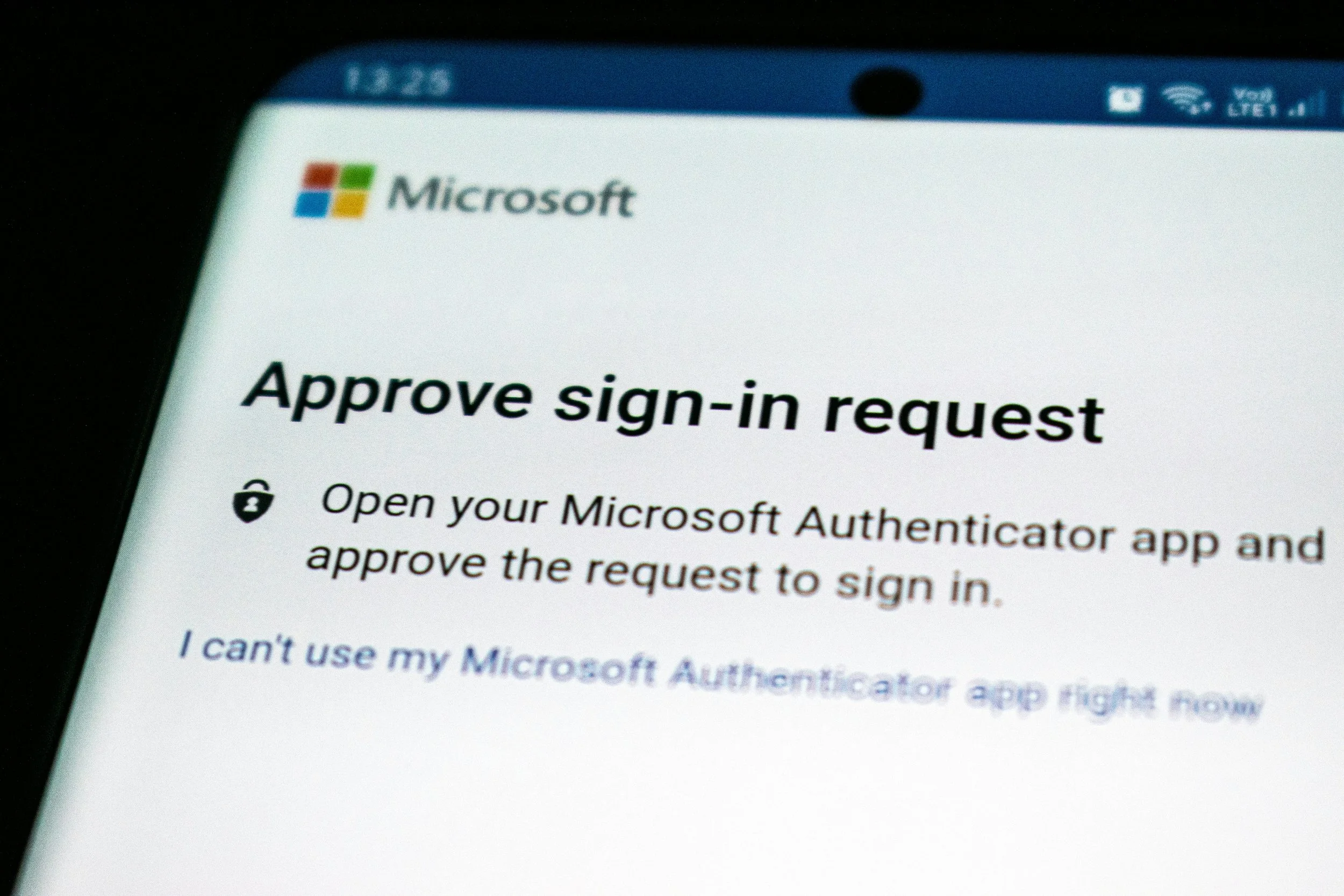
Turn on multi-factor authentication (MFA) - Enable MFA wherever it is available. This adds an extra layer of protection if someone attempts to access your account again.
Change passwords on other accounts - If you have reused the same or a similar password on other accounts, change those passwords immediately, particularly for your email account and any accounts containing sensitive or financial information.
Warn your contacts - If the account was used to send fraudulent, abusive or suspicious messages, let your friends, family and contacts know as soon as possible not to trust any recent messages, links or requests that appeared to come from you.
Approaches to dealing with fraping
Preserve evidence before removing content - Before deleting any posts, messages or profile changes made by the person who accessed your account, take screenshots and save any relevant evidence if you think the incident may need to be reported to your employer, school, the platform or the police.
Remove unauthorised content-Review your profile, posts and direct messages and delete any content that was posted or sent without your permission. Notify anyone who may have received suspicious messages from your account.
Report the unauthorised access to the platform - Report that your account has been compromised using the platform's reporting or hacked account process. This may help the platform investigate the incident and preserve evidence where appropriate.
Review your security settings - Check your account security settings and:
Disconnect any devices you do not recognise.
Review recent login activity.
Save screenshots of suspicious logins if they are available.
Check that recovery information, linked accounts and MFA settings have not been changed.
Review any connected third-party apps and remove any you do not recognise.
Review recent account activity - Check recent posts, comments, messages and other activity for anything suspicious, including attempts to scam your contacts or obtain personal information.
Consider what information was exposed - Review the personal information stored in your account and think about how it could be misused. If sensitive information, passwords or financial details may have been exposed, take steps to secure those accounts immediately.
If you are being bullied or harassed
Remember that you deserve support - No one deserves to be bullied or harassed online. Seeking help is an important step.
Reach out to someone you trust - Speak to a trusted friend, family member, teacher or another supportive adult.
If you are a child or young person in South Africa, you can contact Childline South Africa by calling 116 for free support, or access their online counselling services where available.
Avoid responding or retaliating - People who bully others often seek a reaction. Avoid engaging where possible, as responding may escalate the situation.
Tell the person to stop (if you feel safe doing so) - If you feel comfortable and it is safe, clearly tell the person their behaviour is unwanted and ask them to stop.
Block and report - Most social media platforms allow you to block abusive users and report harassment. Using these tools can help prevent further contact and may assist the platform in taking action.
Advice for parents and carers
Each case of cyber bullying is different and all should be taken seriously. The following advice may help:
Let them talk - Give them space to explain what has happened without interruption. Listen carefully and avoid making them feel embarrassed or blamed.
Reassure them- Many young people worry that reporting online problems will result in losing access to their devices. Reassure them that seeking help is the right thing to do.
Speak to their school - If the behaviour involves other learners or affects your child's wellbeing at school, contact the relevant teacher, principal or designated safeguarding or learner support staff.
Provide any evidence you have collected and ask how the school's bullying or learner conduct policies apply.
Contact the police if there is immediate danger - If someone is in immediate danger in South Africa, call SAPS on 10111 or go to your nearest police station.
You can also contact Crime Stop on 08600 10111 to report criminal activity anonymously.
If there are credible threats of violence, stalking, extortion or other criminal conduct, report the matter to SAPS as soon as possible.
Tap into expert bullying support
Depending on the circumstances, the following organisations or services may be able to assist:
Childline South Africa – Support for children and young people experiencing abuse, bullying or exploitation.
South African Police Service (SAPS) – Where criminal offences such as unauthorised access, fraud, intimidation, harassment or threats have occurred.
Department of Basic Education – Support through schools for incidents involving learners.
GBV Command Centre – Where online abuse forms part of gender-based violence or domestic abuse.
Film and Publication Board (FPB) – For reporting child sexual abuse material or harmful online content involving children.
Donate
Your generosity makes our free support possible. Please consider giving today.
Without donations, we cannot keep our service free or provide help to the most vulnerable victims of cybercrime when they need it most. As a not-for-profit organisation, every donation goes directly towards keeping The Cyber Helpline up and running. Donate now and help us support victims of cybercrime.